
New to AI prompting? Start with our complete guide to writing effective AI prompts.
TL;DR
Perplexity is not Google and it’s not ChatGPT.
It’s a retrieval engine wrapped in a synthesis layer. Most people ask vague questions and get vague answers from SEO spam. The ones who win control both what it searches and how it answers.
If you’re not telling it where to look, you’re wasting its only superpower. This guide teaches you how to be the editor, not the passenger.
Before you read this, understand that it builds on top of the universal principles of how to write AI prompts that don’t suck. Start there if you haven’t. This is Perplexity-specific strategy on top of those fundamentals.
Stop Treating Perplexity Like Google or ChatGPT
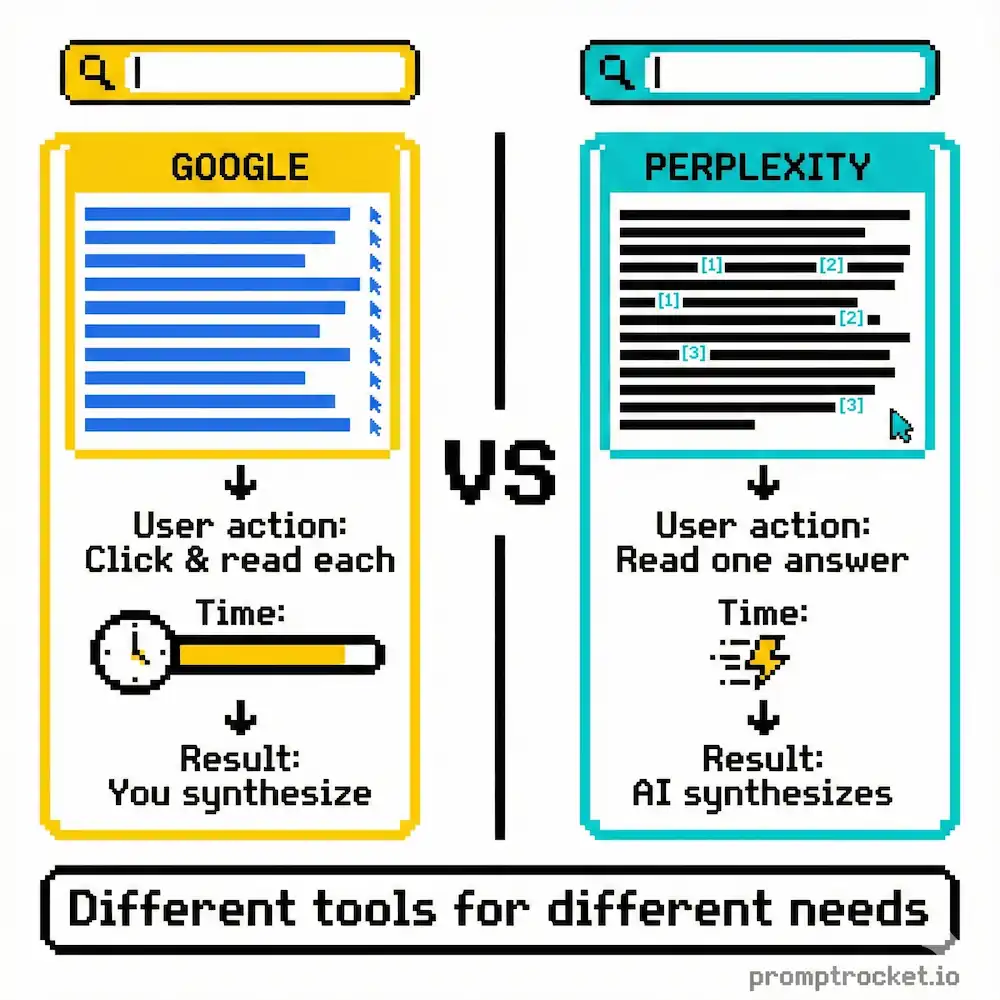
If you’re asking open-ended questions without telling it how to search, you’re wasting it.
You type “What is the future of AI?” and complain when it gives you a generic, lukewarm summary that looks like it was scraped from a LinkedIn influencer’s newsletter. You treat this machine like a magic 8-ball. You treat it like Google.
It’s neither.
Perplexity is a retrieval engine wrapped in a synthesis layer. When you act lazy, it acts lazy. It grabs the first three SEO-optimized blog posts—usually written by another AI—chews them up, and spits out bland paste. You’re asking for caviar and getting expired tuna because you didn’t tell it where to shop.
The reason you’re here is you’re tired of mixed-quality answers. You’re tired of hallucinations where it invents court cases or cites papers that don’t exist. You’re sick of “I apologize” loops when you call it out. You want pro-level results. The ones that look like a senior analyst wrote them on caffeine and SEC filings.
You’re driving a Ferrari like a Honda Civic. You have a tool that can read the entire indexed web in seconds and you’re using it to summarize Wikipedia.
The secret isn’t politeness. It isn’t pretending to be a wizard. The secret is steering both retrieval (what it looks at) and synthesis (how it answers). You have to be the editor. You have to tell it where to look before you tell it what to write.
If you don’t control the input, you have zero right to complain about the output.
How Perplexity Works
Perplexity is not just one model. It’s a pipeline.
The Crawler (PerplexityBot): This is the scout out there scraping the web. If a site blocks PerplexityBot via robots.txt, the engine can’t see it. This is why you sometimes get gaps in data from big publishers fighting AI.
The Index: Perplexity maintains an index of billions of URLs. When you search, it’s hitting this index first, not necessarily the live page unless it triggers a fresh fetch.
The RAG (Retrieval-Augmented Generation): This is the secret sauce. It takes your question, turns it into a search query, retrieves the top chunks of text, and pastes them into the prompt of the LLM (like GPT-4 or Claude) with instructions to “Answer using these chunks.”
When you treat it like a chatbot, you’re speaking to the LLM at the end of the chain. But the LLM is helpless without good data from the Crawler. If you don’t tell the Crawler where to go, the LLM has nothing to work with.
The Hallucination Problem
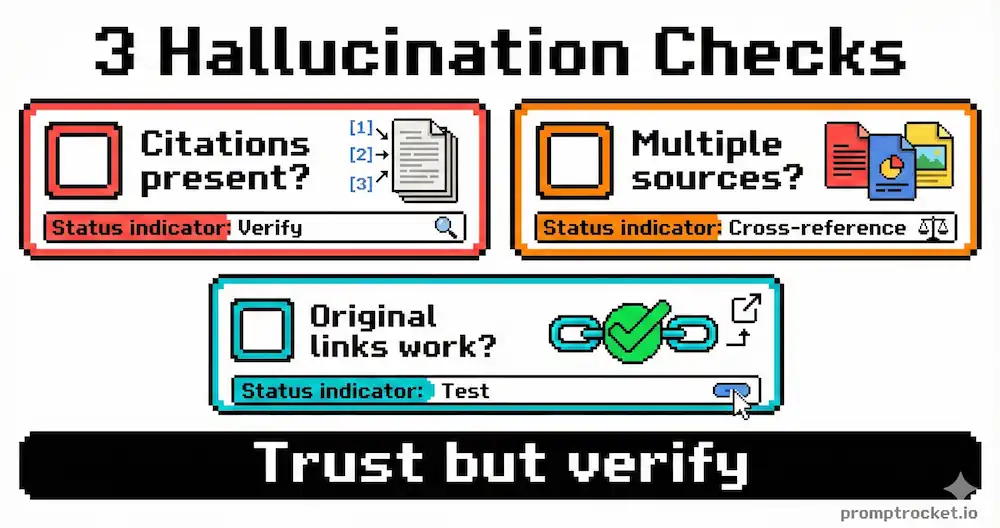
Perplexity is better than raw ChatGPT at facts, but it still lies. It tends to hallucinate when:
- The source is a dense PDF it can’t parse correctly
- The question is leading (e.g., “Why is X true?”)
- The citation is obscure and it guesses the wrong paper or wrong year
The fix isn’t to hope it gets better. The fix is to force it to show its work.
The Three Moves
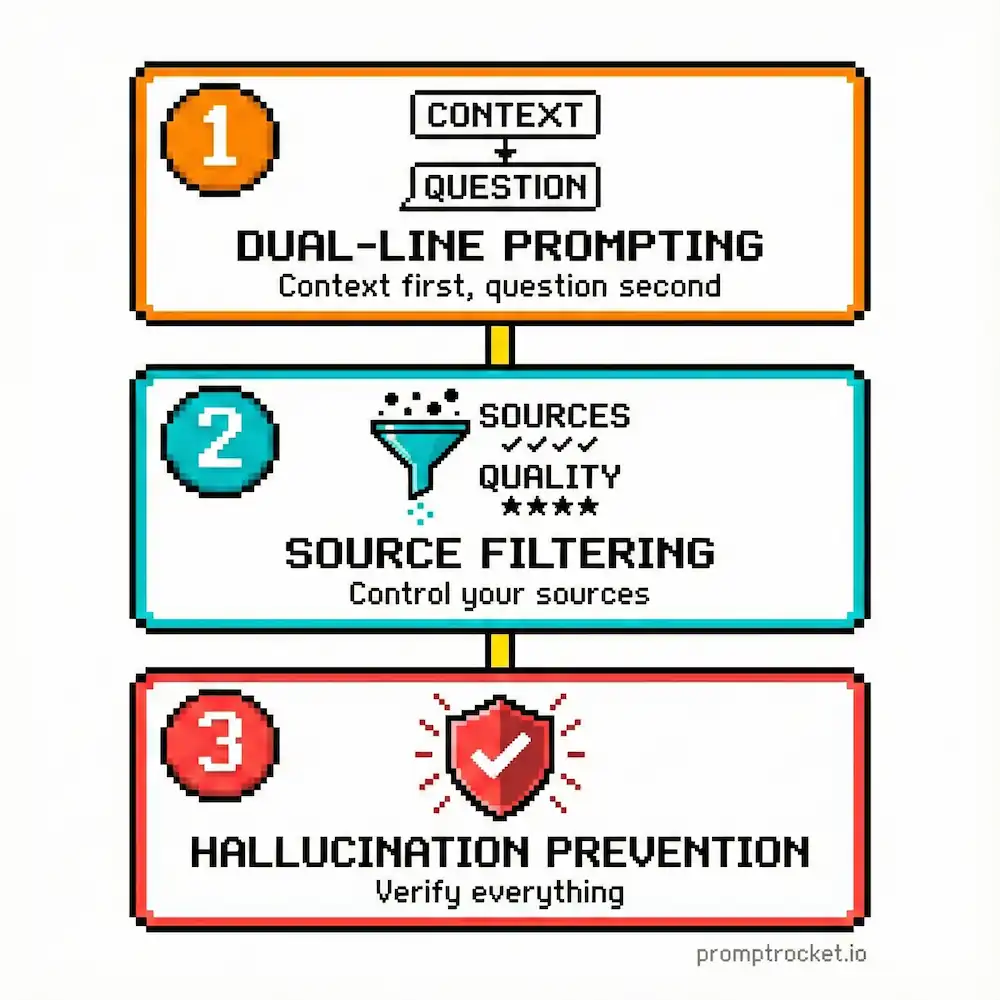
Move 1: Split Your Commands Into Librarian + Editor
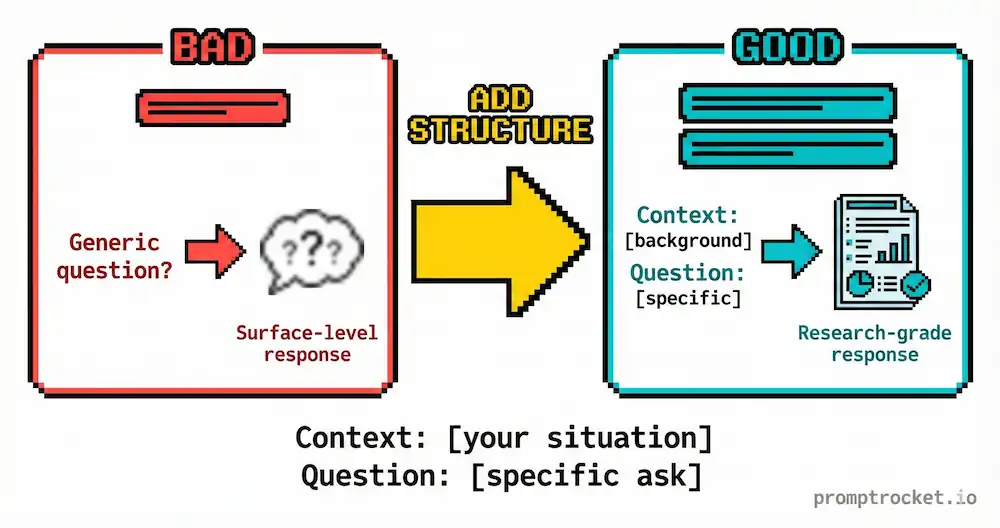
Most people write single-line prompts. This is a disaster. It leaves the retrieval logic entirely up to the AI’s default settings, which are optimized for speed, not depth.
The 110% Hack is to split your brain into two modes:
The Librarian (Retrieval Instructions): Tell it exactly what domains to search, what timeframes to respect, and what types of sources to prioritize.
The Editor (Synthesis Instructions): Tell it exactly how to format the answer, what tone to take, and how to handle citations.
Perplexity’s God Mode is unlocked when you specify domains, recency, and output format.
Move 2: Use Operators to Steer the Search
These aren’t just for Google. They work on Perplexity’s retrieval layer.
The site: Operator (The Sniper) – Restricts search to a specific domain. Example: site:fda.gov "semaglutide" side effects Why: It eliminates all the health blogs and WebMD clutter. You get raw government data.
The -site: Operator (The Shield) – Excludes a site. Example: AI trends 2025 -site:linkedin.com -site:medium.com Why: It filters out thought leaders and forces the engine to find actual news.
The filetype: Operator (The Deep Diver) – Restricts results to specific file formats. Example: "generative ai" market size filetype:pdf Why: Blog posts are HTML. Serious research is usually PDF. This simple switch changes source quality instantly.
The after: Operator (The Time Traveler) – Forces freshness. Example: Bitcoin price analysis after:2024-01-01 Why: This guarantees it won’t pull dusty articles from 2021.
Move 3: Choose the Right Focus Mode
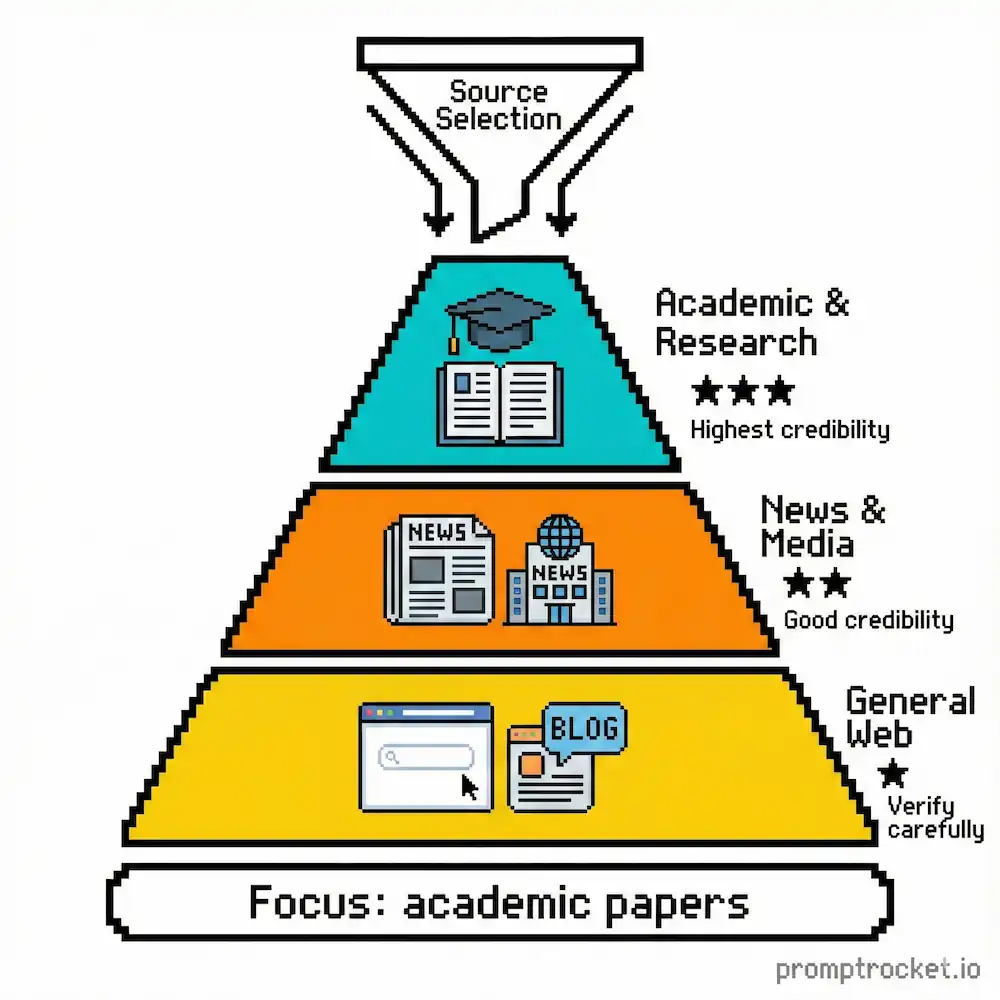
Perplexity has specific “Focus Modes” that act as macro-filters. Most users leave it on “All” (Web). This is a mistake.
Web (Default): The shotgun approach. Good for trivia, bad for nuance. Searches everything.
Academic: The sniper. Searches Semantic Scholar and academic databases. Use this for deep dives. It reduces hallucinations because the source set is cleaner.
Writing: This turns OFF internet access. It relies on internal training data. Use only when drafting or rewriting. Never use for research.
Social: Searches Reddit and forums. Use to find what real users say, not what press releases say.
Video: Searches YouTube transcripts. Powerful for “How-To” queries where you don’t want to watch a 20-minute vlog.
Pro Tip: Mode Hop mid-thread. Start with Academic for theory, switch to Social to see if it works in real life. This builds comprehensive reports.
The Market Scan (Finance / Competitor Research)
You need to understand a competitor or market trend without marketing fluff. You want hard numbers and strategic moves.
The broken approach: “What is the marketing strategy of Notion vs. Obsidian?” You get generic articles about workspaces vs second brains. Useless.
The working approach: Force it to look at primary sources.
GOAL: Conduct a forensic market analysis of Notion vs. Obsidian.
SEARCH INSTRUCTIONS (The Librarian):

Sources: Prioritize official company blogs, engineering changelogs, SEC filings (if applicable), and verified employee interviews.

Exclude: Generic “review” sites (G2, Capterra), SEO listicles, and social media sentiment.

Timeframe: Last 12 months only.

Operators: Use filetype:pdf for reports.
OUTPUT INSTRUCTIONS (The Editor):

Create a comparison table for: User Growth Metrics, Pricing Model Changes, and Core Feature Releases.

Write a “Strategic Shift” section analyzing why they made these changes, based on the data.

Constraint: Use a professional, analytical tone. No marketing jargon. Cite every data point with a [number] link. If exact numbers are missing, state “Data undisclosed.”
Why this works: It explicitly bans review sites that clog search results. G2 and Capterra are SEO spam farms with zero strategic insight. By forcing primary evidence, you get the why, not just the what. It also solves the “hallucination of competence” problem. AI tries to make companies look good. Asking for “Pricing Model Changes” forces it to look for action, not messaging.
The Mythbuster (Controversial Topics)
You’re researching a complex topic (health, politics, tech) and need to cut through the echo chamber. You want raw data so you can decide.
The broken approach: “Is remote work bad for productivity?” You get a “both sides” essay that balances the argument to be safe. Useless.
The working approach: Search for the disagreement in the data.
GOAL: Find the disagreement in the data regarding remote work productivity.
SEARCH INSTRUCTIONS (The Librarian):

Queries: Run parallel searches for “remote work productivity meta-analysis 2024,” “remote work failure rates case studies,” and “return to office mandate impact reports.”

Focus: Look for academic papers (PDFs), NBER reports, and internal corporate white papers.

Filter: Ignore opinion pieces, editorials, and LinkedIn think-pieces. Only data-backed claims.
OUTPUT INSTRUCTIONS (The Editor):

Format as a “Conflict Brief.”

Section 1: The Consensus. Where does the data agree?

Section 2: The Divergence. Where does the data conflict? (e.g., specific industries or roles).

Section 3: The Source Quality. Note which studies have the largest sample sizes.

Warning: If a source is anecdotal, label it [Anecdotal]. Do not synthesize a middle ground; report the conflict.
Why this works: It frames the search as an investigation into conflict, not a search for an answer. This prevents hallucinating a false consensus. Most LLMs are trained to be helpful and agreeable. By asking for the conflict, you neutralize the bias. It also forces source quality meta-analysis. Perplexity excels at this if you ask it to look at methodology and sample sizes.
The Academic Deep Dive (Verified Citations)
You need a literature review that doesn’t invent papers. Perplexity loves to make up citations when pushed on academic topics.
The broken approach: “Summarize the latest research on agentic workflows.” Half the citations point to broken links or irrelevant papers. It cites “Smith et al. 2024” for claims Smith never made.
The working approach: Demand verbatim quotes and strict source constraints.
GOAL: Compile a verified literature review on Agentic Workflows in LLMs.
SEARCH INSTRUCTIONS (The Librarian):

Mode: Switch to Academic Focus or use site:arxiv.org OR site:aclanthology.org OR site:nature.com

Strict Constraint: DO NOT cite a paper unless you have read the abstract in the search results. Do not infer existence from other citations.
OUTPUT INSTRUCTIONS (The Editor):

List 5 key papers from 2023-2025.

For each paper, provide:

Title & Lead Author
The Core Innovation: (1 sentence)
The Key Metric: (e.g., “Improved accuracy by 15% on MATH benchmark”)
Direct Quote: Extract one sentence from the abstract verbatim.
Why this works: Asking for a “Direct Quote” is a cryptographic check. The AI cannot quote what it hasn’t retrieved. If it hallucinates the paper, it fails to generate a quote or the quote is generic. This forces the grounding mechanism to be honest. Restricting domains to arxiv.org or aclanthology.org ensures pre-prints and peer-reviewed work, not blog posts about papers.
When Perplexity Breaks
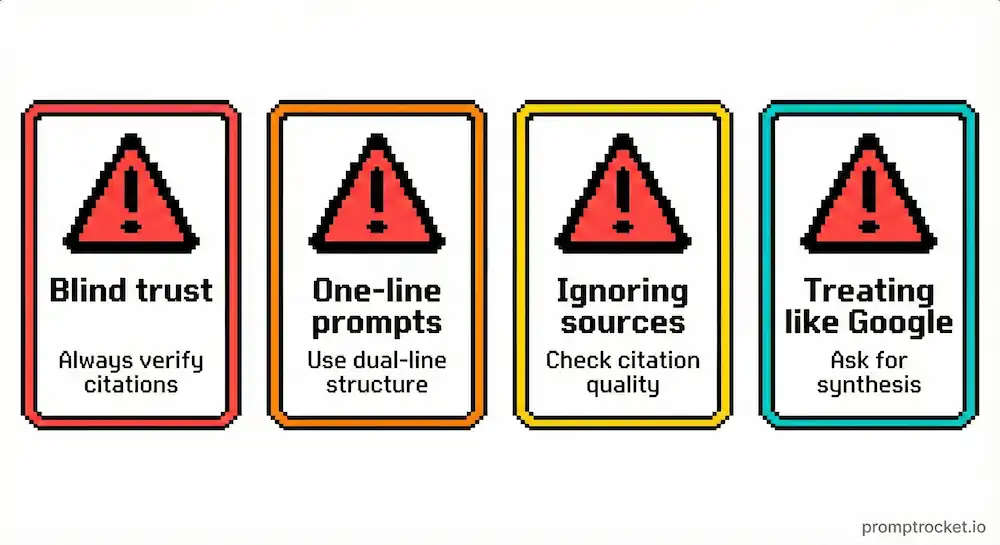
It’s citing broken links: Start a new search. Ask it to use site:arxiv.org or site:scholar.google.com instead.
It’s hallucinating papers: Demand direct quotes. Ask “Quote verbatim from the abstract. If you cannot find it, say so.”
It’s pulling outdated info: Add the after: operator. Specify the year you need.
It’s mixing opinions with facts: Switch to Academic Focus mode. Use the -site: operator to exclude blogs and Medium.
It’s being too diplomatic: Tell it explicitly “Do not balance the arguments. Report the conflict.”
The Privacy Reality
Perplexity stores your queries. Your search history is maintained. Use it for market research and analysis, not for sensitive personal information or confidential business strategies.
The Final Move
You have the keys. You know the engine. You know the God Mode prompts.
Stop asking Perplexity to write generic summaries. Start asking it to forensic-analyze markets, find data conflicts, and verify claims.
The world is full of noise. Perplexity is one of the few tools that can cut through it—but only if you tell it exactly where to cut.
Now go fix your searches.
Related Prompt Guides
- Grok Prompt Guide: Stop treating Grok like ChatGPT. Master real-time X scanning, sentiment analysis, and narrative trac…
- ChatGPT Prompt Guide: Stop wasting 2 hours on mediocre ChatGPT outputs. Learn Flipped Interaction, Persona Override, and C…