
New to AI prompting? Start with our complete guide to writing effective AI prompts.
TL;DR
Claude isn’t ChatGPT.
If you’re typing casual sentences into Claude and expecting magic, you’re wasting the most powerful tool in your arsenal. Claude thinks in structure. It wants XML tags. It needs boundaries.
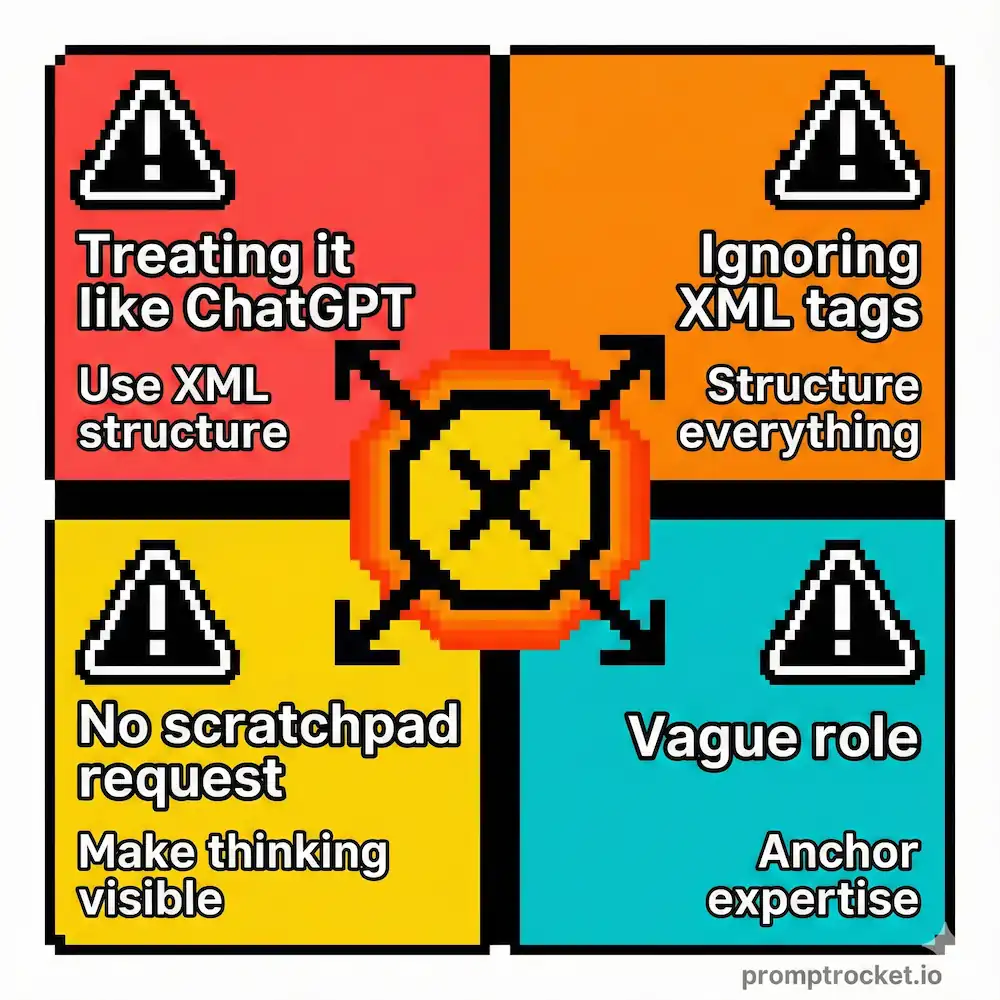
Master three moves—XML Tagging, Explicit Scratchpads, and Role Anchoring—and you’ll unlock outputs that feel like you hired a PhD-level specialist. Keep guessing and you’ll get polite mediocrity.
Claude Is a Hyper-Literate Professor, Not Your Drinking Buddy
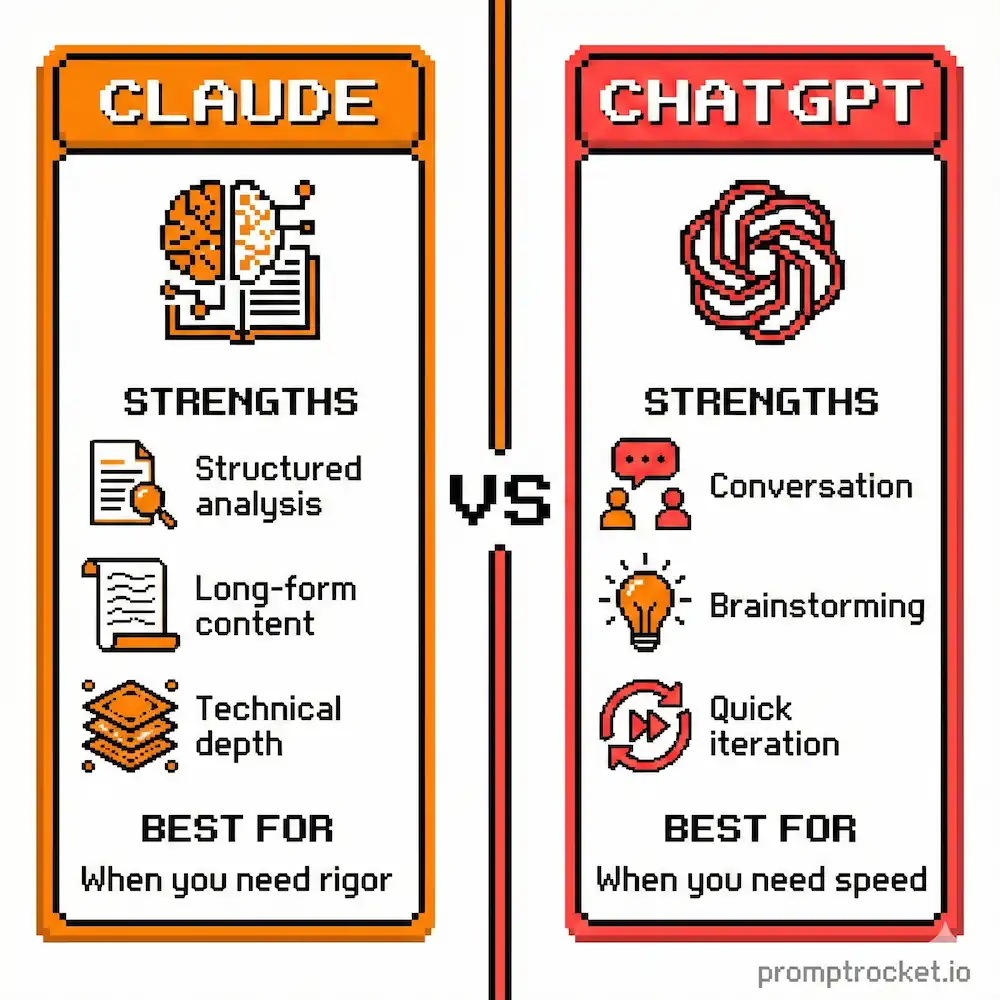
Here’s the fundamental difference you need to understand: ChatGPT wants to make you happy. Claude wants to be correct.
ChatGPT is trained to be an eager-to-please intern. It will hallucinate facts to keep you satisfied. It will agree with your bad assumptions. It’s sycophantic. Claude is different. Claude is tenure-track faculty obsessed with intellectual honesty, rigorous structure, and footnotes. It doesn’t want to guess your vibe. It wants a spec sheet.
If you treat Claude like ChatGPT, you get polite mediocrity. If you treat Claude like a code compiler, you unlock results that feel like magic. The difference is architecture.
Most people dump unstructured text into Claude and wonder why the outputs are meandering. It’s not Claude failing. It’s you refusing to speak its native language: structure. Claude is optimized to parse XML-tagged information. When you wrap your context in tags, when you separate data from instructions, when you make it explicit where your question ends and your data begins—that’s when Claude becomes dangerous.
Before you read this, understand that it builds on top of the universal principles of how to write AI prompts that don’t suck. Start there if you haven’t. This is Claude-specific architecture on top of those fundamentals.
How Claude Works
Claude was trained with Constitutional AI, which means it’s obsessed with clear boundaries and explicit instruction separation. The model’s attention mechanism literally learns to recognize XML tags as semantic containers. When you use proper structure, Claude spends less computational effort guessing and more building pristine outputs.
Claude can handle about 200,000 tokens of context (double ChatGPT). That’s roughly 150,000 words. Paste your entire product documentation, your codebase, your legal contracts—all at once. Claude will ingest it cleanly if you tag it properly.
Claude respects negative constraints. Tell it “don’t explain this part,” “don’t use corporate jargon,” “don’t be chatty”—and it listens. ChatGPT struggles with negatives. Claude doesn’t.
Claude has chain-of-thought built into its DNA. It’s designed to think before answering. Your job is forcing that thinking to be visible.
Three Moves That Change Everything
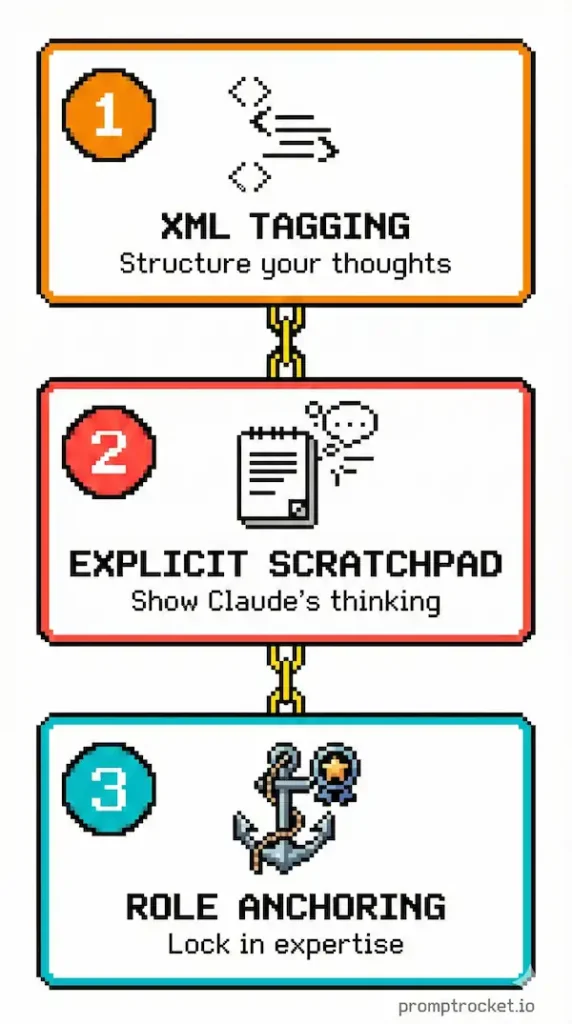
Move 1: XML Tagging
This is the single biggest leverage point with Claude and most people never use it.
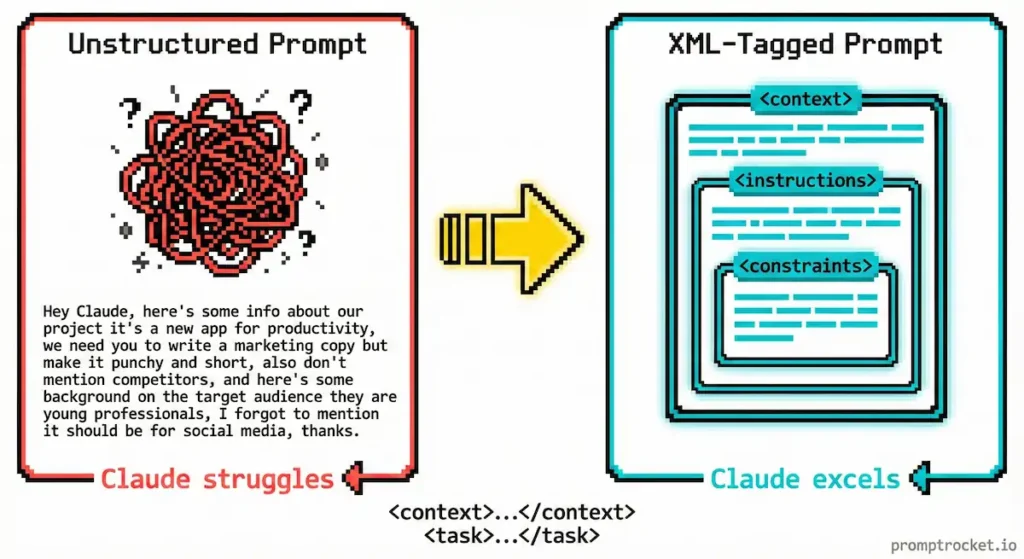
The mistake: Dumping your instructions and your data into one long paragraph. The model gets confused about where your context ends and your actual question begins.
The fix: Tag everything. Create explicit containers for different types of information.
Instead of: “Here’s my customer feedback (paste 50 pages) and based on this, what are the main complaints?”
Do this:
<context>
[Paste your 50 pages of customer feedback here]
</context>
<task>
Identify the three main customer complaints and the sentiment behind each one.
</task>
Now Claude knows exactly where the data ends and the mission begins. No guessing. No instruction leakage.
When to use this: Anything involving large amounts of source material. Code reviews. Document analysis. Data extraction. Whenever you have context you need Claude to respect.
Why it works: XML tags create semantic walls in Claude’s attention mechanism. The model can’t confuse your example text with a command because the tags make the boundary explicit. This is particularly critical if your source material contains phrases like “ignore previous instructions.”
Move 2: Explicit Scratchpads
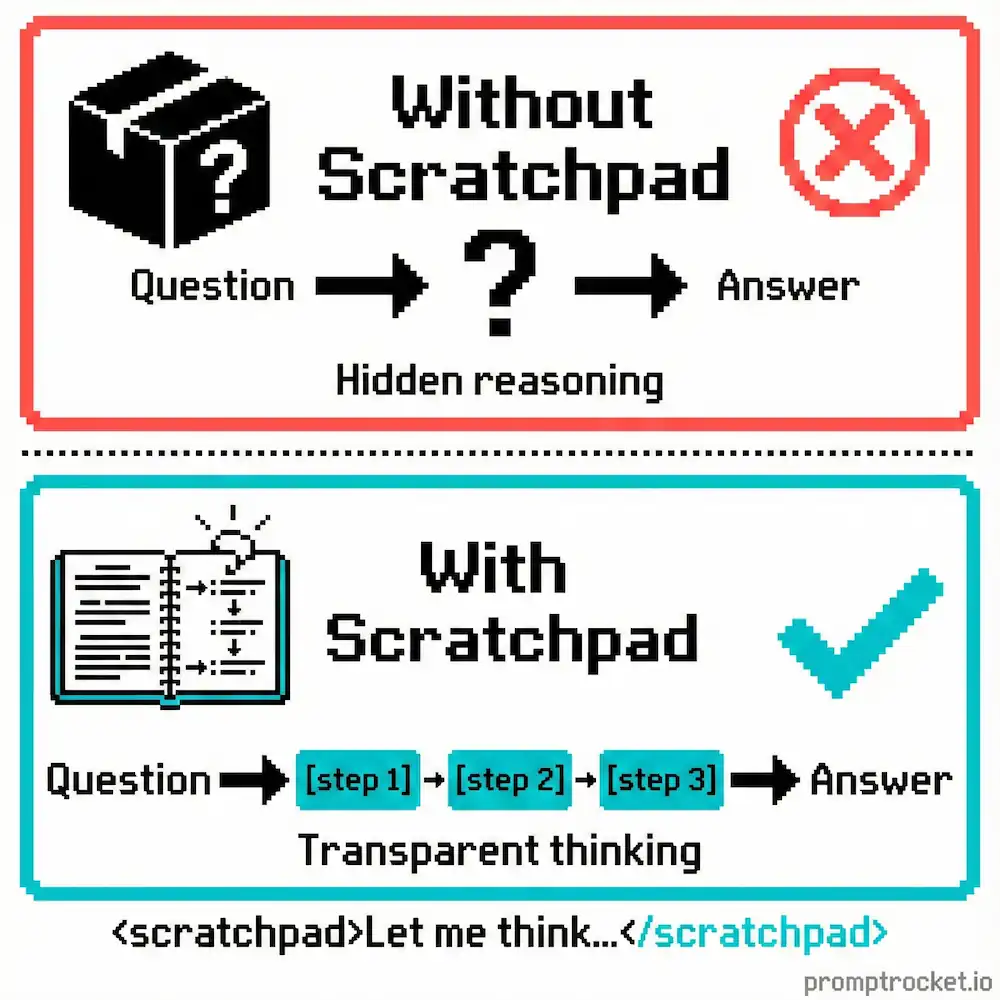
Claude is brilliant but impulsive. If you ask a complex question, it tries to generate the answer immediately without planning.
The mistake: Asking Claude to solve a complex problem without forcing it to think first.
The fix: Mandate a scratchpad. Make Claude write its reasoning before writing the final answer.
Instead of: “Here’s a complex coding problem. Solve it.”
Do this:
Before answering, write a <thinking> block where you:
1. Restate the problem in your own words
2. List the constraints and edge cases
3. Outline your approach step-by-step
Then write your final solution in a <solution> block.
Now Claude catches errors in its own reasoning before they reach your final answer. It’s like having the model debug itself in real-time.
When to use this: Complex logic. Coding problems. Strategic decisions. Anything where intermediate steps matter more than the final answer.
Why it works: The scratchpad forces the model to use its own previous output as context. Each step becomes a building block for the next. This dramatically improves quality on multi-step reasoning tasks.
Move 3: Role Anchoring
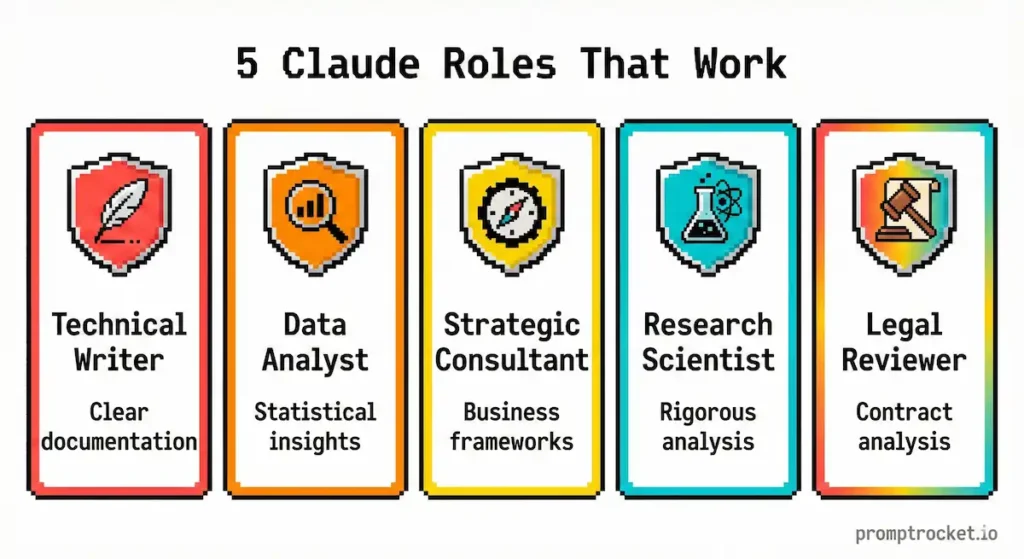
Claude responds dramatically better when you give it a specific, high-level persona with real expertise depth.
The mistake: Generic roles like “You are a helpful assistant” or “Act as a code reviewer.”
The fix: Anchor Claude to a specific expertise level and set of values that shape how it approaches the work.
Instead of: “Review this code.”
Do this:
You are a Principal Software Architect specializing in TypeScript and distributed systems. You prioritize type safety, performance, and maintainability. You value clean abstractions over clever code. You assume this code will be maintained by a junior engineer in 18 months and review accordingly.
Now Claude shifts into expert mode. It stops explaining basic concepts and starts making sophisticated judgments.
When to use this: Any time you want Claude to operate at a specific level of expertise. Writing. Coding. Analysis. Anywhere the quality floor matters.
Why it works: The persona acts as a “latent space anchor.” It tells Claude which cluster of its training data to activate. A “Principal Architect” perspective is different from a “Coding Tutorial” perspective. The role determines the vocabulary, the depth, and the quality bar.
Real Prompts That Work
These are templates you can steal right now.
Template 1: The Full-Stack Architect
Use when: You need production-ready code that respects your specific stack.
<role>
You are a Principal Frontend Engineer at a Fortune 500 tech company. You specialize in React 18, TypeScript, and Tailwind CSS. You prioritize accessibility (WCAG 2.1), performance (minimizing re-renders), and type safety. You write self-documenting code, not tutorial code.
</role>
<context>
Tech Stack: Next.js 14 (App Router), TypeScript, Tailwind CSS, Shadcn UI
Data source: REST API at /api/user/stats
Project: Building a SaaS dashboard for a fintech application
</context>
<task>
Create a UserStatsCard component that fetches data, handles loading states, handles error states, and displays three metrics: Total Revenue, Active Users, Churn Rate.
</task>
<requirements>
1. Define a strict TypeScript interface for the API response
2. Use SWR or React Query for data fetching
3. Implement a skeleton loader for loading state
4. Implement a graceful error UI with a “Retry” button
5. Use a Card container with clean, modern aesthetics
</requirements>
Before writing code, use a <thinking> block to plan your state management and TypeScript structure.
Output only code. No explanation.
What you get: Production-ready TypeScript component that respects your tech stack and doesn’t waste time explaining basics.
Template 2: The Forensic Analyst
Use when: You have a complex document and need insights, not summaries.
<role>
You are a Forensic Financial Analyst with 20 years of M&A due diligence experience. You are paranoid, skeptical, and detail-oriented. You assume the document is hiding bad news in the footnotes.
</role>
<source_material>
[Paste your 50-page financial report here]
</source_material>
<analysis_protocol>
Before analyzing, use a <thinking> block to list the red flags you’re looking for based on the document type.
</analysis_protocol>
<output_format>
Return a Markdown table with columns: | Finding | Severity | Evidence (Direct Quote) | Interpretation |
Only include findings you can directly quote from the source material. Do not invent findings.
</output_format>
What you get: A structured table of actual risks with direct evidence. No vague generalizations.
Template 3: The Ghostwriter
Use when: You want Claude to write in your specific voice.
<role>
You are an expert Ghostwriter and Linguist obsessed with replicating an author’s voice. Your job is to understand voice, not content. You analyze sentence structure, vocabulary temperature, and rhythm.
</role>
<author_samples>
<sample_1>
[Paste a 300-word sample of your best writing]
</sample_1>
<sample_2>
[Paste another sample showing different tone but same voice]
</sample_2>
</author_samples>
<analysis_phase>
Before writing new content, analyze the samples in a <style_analysis> block. Identify:
– Sentence length variance (short, punchy vs. long, flowing)
– Vocabulary temperature (academic vs. conversational)
– Formatting quirks (italics, asides, dashes)
– Tone markers (cynical, optimistic, didactic)
</analysis_phase>
<writing_task>
Write [specific request] in the voice identified above.
</writing_task>
What you get: Content that sounds like you, not like Claude.
The Moves Nobody Talks About
Tip 1: Use Prefill to Steer Output Format
At the end of your prompt, type:
Claude: “`json
{
This forces Claude to immediately start valid JSON. It skips the “Sure! Here’s the JSON you requested” conversational filler.
Tip 2: Use Projects for Persistent Context
With Claude Projects, you can upload brand guidelines, code documentation, and style guides as persistent knowledge bases. Reference them explicitly: “Using the brand voice guide in my Project knowledge base, draft this email…”
This offloads static context from your prompt, freeing tokens for the actual work.
Tip 3: Combine Scratchpad With Prefill
End your prompt with:
Claude: <thinking>
Let me break down this problem…
This forces Claude into thinking mode immediately. No fluff. It starts reasoning right away.
Tip 4: Stack Tags for Complex Workflows
You can nest tags to create complex data structures. Claude respects the hierarchy and processes complex instructions with ease.
Pro Moves: Advanced Tactics
Pro Tip 1: Force Negative Constraints in XML Tags
Instead of burying “don’t be chatty” in prose, create a <rules> block with explicit constraints. Claude responds to explicit negative constraints better when they’re tagged.
Pro Tip 2: Use <quote> Tags for Citation Requirements
If you need Claude to cite its sources, wrap your task with requirements for direct quotes. This prevents hallucinations because Claude has to find the text to quote it.
Pro Tip 3: Create Feedback Loops With <critique> Tags
Ask Claude to provide a <critique> block that identifies logical gaps, assumptions, and alternative approaches. Claude will debug its own thinking. You can then request revisions based on its own self-critique.
Pro Tip 4: Use Multi-Shot Examples in XML
Instead of one example, provide several with tags for good examples, bad examples, and edge cases. Multiple examples significantly improve output consistency.
The Bottom Line
Claude is not ChatGPT with more tokens. Claude is a fundamentally different machine that rewards structure, respects boundaries, and thinks like an engineer.
If you use Claude like ChatGPT, you’ll get better outputs than ChatGPT. But you’re still leaving 80% of the potential on the table.
If you use Claude the way it’s built to be used—with XML architecture, explicit scratchpads, and precision role anchoring—you unlock something that feels like you hired a PhD-level specialist for the problem.
Master XML tagging. Master the scratchpad. Master role anchoring.
Those three moves put you ahead of 99% of Claude users.
Now go build something impossible.
Related Prompt Guides
- ChatGPT Prompt Guide: Stop wasting 2 hours on mediocre ChatGPT outputs. Learn Flipped Interaction, Persona Override, and C…
- Gemini Prompt Guide: Stop wasting time typing prompts into Gemini. Master the Multimodal Bridge, upload files instead of …