
New to AI prompting? Start with our complete guide to writing effective AI prompts.
TL;DR
You’re spending 2 hours getting mediocre outputs from ChatGPT. Your smarter coworker spends 15 minutes and gets gold.
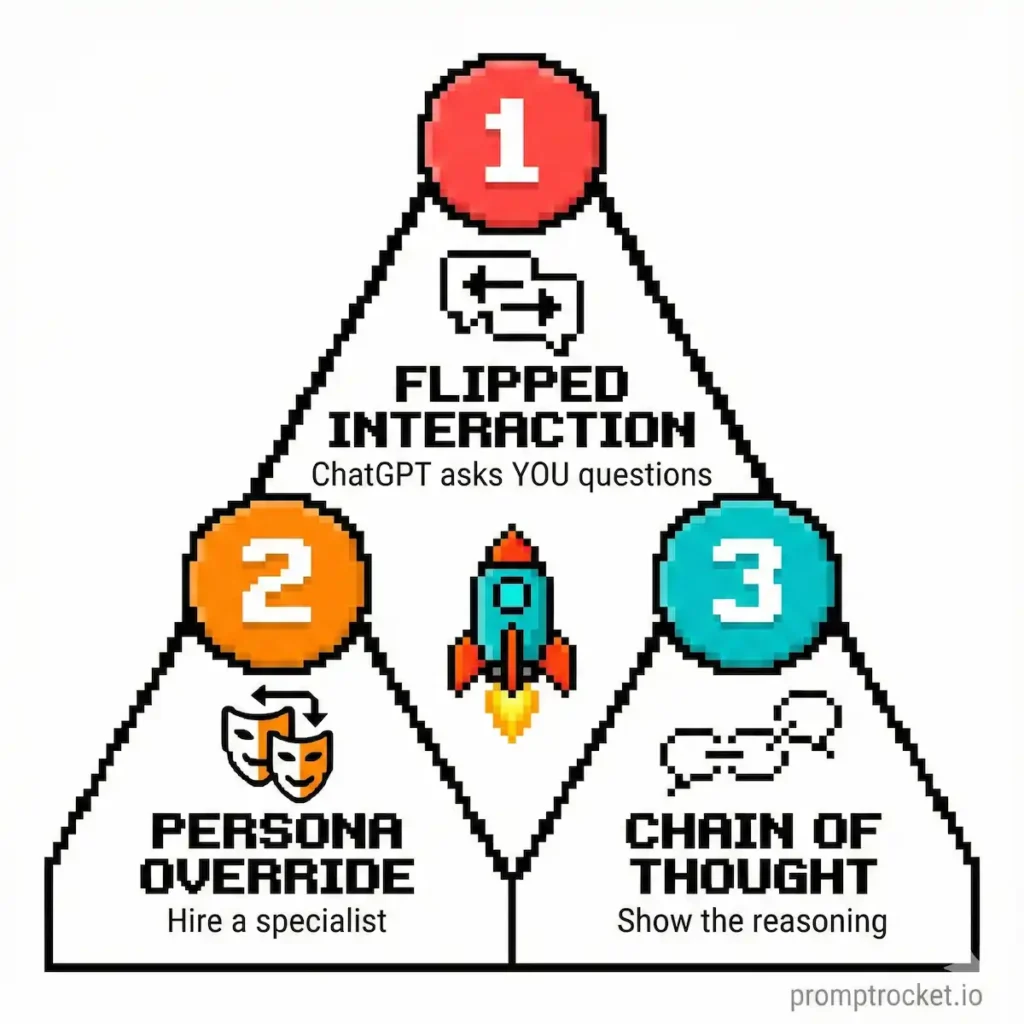
The gap isn’t ChatGPT’s fault. You’re just asking it wrong. Master three moves—The Flipped Interaction, The Persona Override, and Chain of Thought—and you’ll get results that matter.
Or keep doing what you’re doing and wonder why your AI outputs are generic garbage.
Stop Dumping Vague Ideas Into ChatGPT and Blaming It for Failing You
Stop dumping three vague ideas into one prompt and then blaming ChatGPT when it gives you the same boring dreck that ten thousand other people already got.
You know the pattern. You type “Write a marketing strategy for my coffee shop” and ChatGPT spits out the generic “run a social media contest” playbook like it’s some kind of revelation. Meanwhile, you’re rolling your eyes at how useless it is.
That’s not ChatGPT being dumb. That’s you being lazy.
Most people treat ChatGPT like Google Search. They fish for quick answers instead of building systems. They ask questions that a toddler could generate. Then they’re shocked when the output is indistinguishable from every other AI output in existence.
The difference between someone who gets incredible value from ChatGPT and someone who treats it like a glorified autocomplete comes down to three tactics. That’s it. Not magic. Not some secret AI knowledge. Just three specific moves that force ChatGPT to stop hallucinating and start working.
Before you dive into this, understand that it builds on top of the universal principles of how to write AI prompts that don’t suck. Start there if you haven’t. This is ChatGPT-specific optimization on top of those fundamentals.
ChatGPT Is an Overachieving Intern Who Desperately Wants to Please You
Here’s what you need to understand: ChatGPT doesn’t care about truth. It cares about plausibility. It cares about finishing the pattern in a way that sounds reasonable. Ask it to fly and it won’t say “I can’t fly.” It’ll jump off a building while explaining the aerodynamics of falling. It will hallucinate facts. It will agree with your bad assumptions. It will apologize for things it didn’t do. All because it wants so badly to be helpful.
That’s not a limitation. That’s the key to unlocking what makes it useful.
When you treat ChatGPT like a boss treats an intern, you get results. You don’t ask an intern “What should we do?” You tell them “Here’s the goal. Here’s the format. Here’s what you absolutely cannot do. Now draft this and ask me if you get stuck.”
That framework is everything.
How ChatGPT Works
ChatGPT can handle about 128,000 tokens of context. Translation: Paste your entire company policies document, your product roadmap, your customer feedback database, all at once. Use this. Feed it real context instead of vague vibes.
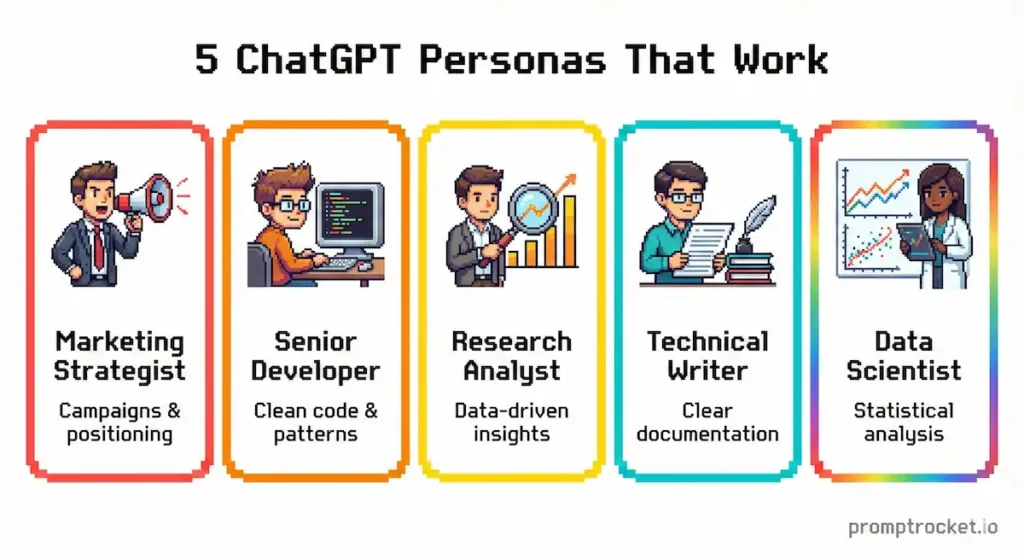
ChatGPT mimics whatever tone you set. Tell it to sound like a cynical startup founder, a buttoned-up corporate lawyer, or a TikTok creator—it will. This is your superpower. Use personas to control the output.
ChatGPT defaults to agreement. Ask “Is this a good idea?” and it will say yes, then explain why. It’s trained to be helpful and agreeable. You have to force disagreement by giving explicit permission to critique. This matters more than you think.
ChatGPT respects structure requests. Tell it “Format this as a numbered list” or “Use markdown headers” and it will. Use this to get outputs you can copy-paste into your work without rewriting half of it.
Three Tactics to Try
Move 1: The Flipped Interaction
This is the single biggest leverage point with ChatGPT and most people never figure it out.
The mistake: Trying to put everything into the first prompt. You write a 500-word wall of text, hit enter, and pray. It doesn’t work because ChatGPT doesn’t know what it doesn’t know about your situation. It’s fishing blind. So it generates generic output that could apply to anyone.
The fix: Stop guessing what ChatGPT needs. Make ChatGPT extract the information from you.
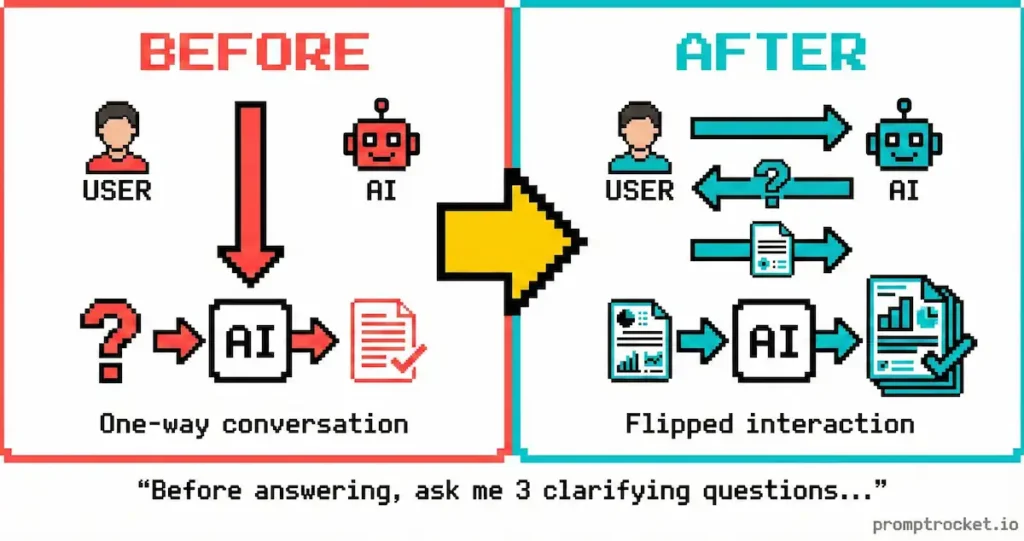
Instead of commanding “Write a project plan,” flip the dynamic entirely. Tell it: “Your job is to write a project plan. Do not write it yet. Ask me questions one by one until you have everything you need to write something that’s useful.”
Now everything changes. ChatGPT becomes the architect. You become the client. It interrogates you for the real details. You provide data from your situation. It produces something that isn’t garbage.
When to use this: Anything complex that requires nuance. Marketing strategies. Project kickoffs. Pitch decks. Business proposals. Customer communication templates. Anything where generic is worse than useless.
Why it works: You move from “garbage in, garbage out” to a consultative workflow. ChatGPT asks the smart questions you forgot to answer. You fill in real data. It has context. Output quality jumps by 10x.
Move 2: The Persona Override
ChatGPT is trained to be helpful and agreeable. That’s a problem when you need brutal feedback.
The weakness: Say “be a writer” and ChatGPT writes like ChatGPT. Say “be more critical” and you get mild suggestions buried in praise. You get feedback that sounds like a participation trophy.
The fix: Assign a specific, critical persona and give explicit permission to be harsh.
Instead: “Act as a cynical, burnt-out investigative journalist who’s seen it all. You hate buzzwords. You write in short, punchy sentences. You don’t care about being nice. Your job is to find what’s wrong.”
Now ChatGPT bypasses the default politeness filter it was trained with. You get problems identified. You learn what sucks instead of getting told everything is great.
When to use this: Any time you need honest critique. Email reviews. Pitch deck feedback. Copy editing. Argument analysis. Product positioning. Anything where you need to know what’s broken instead of what’s working.
Why it works: Personas override the training that prioritizes agreeableness. By saying “In this role, being helpful means being honest,” you change the reward structure ChatGPT operates under.
Move 3: Chain of Thought
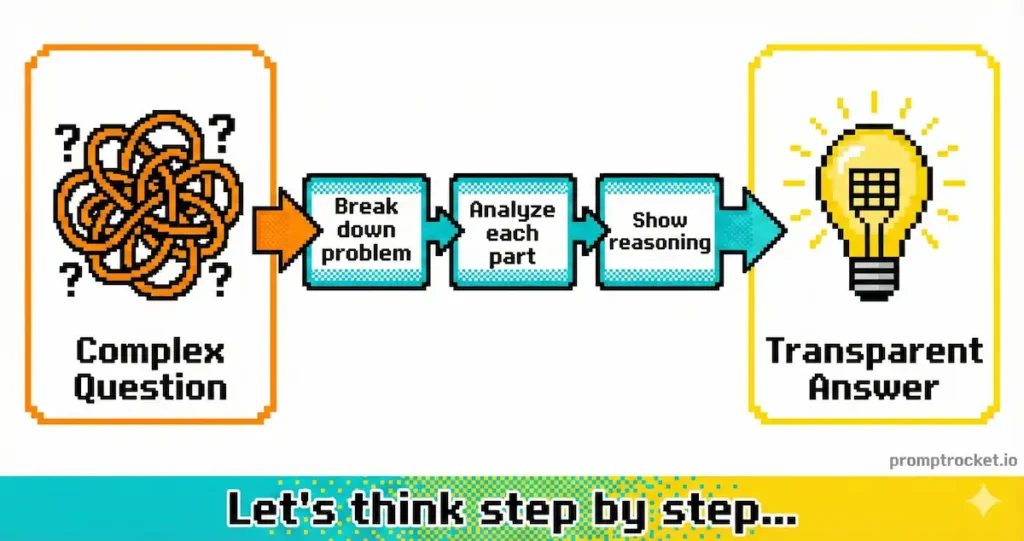
ChatGPT is probabilistic. If you let it jump straight to the answer, it guesses based on word association. The quality suffers. If you force it to show its work, the logic improves drastically because it uses its own previous output as context for the final answer.
The difference: “Should I switch from SQL to NoSQL?” gets you a generic pros/cons article that could apply to anyone. “Walk me through your reasoning step-by-step before giving a recommendation” gets you logic you can evaluate.
Instead of asking for the answer, ask for the reasoning first:
“Before you give me a final recommendation, output your internal reasoning using these exact steps:
UNDERSTAND: Restate my problem in your own words.
ANALYZE: List the key variables and trade-offs.
DEDUCE: Walk through the logical implications step-by-step.
SYNTHESIZE: Combine these into a final recommendation.”
Now you see the thinking. If the logic is wrong, you can pinpoint exactly where. You can challenge specific steps instead of challenging the whole answer.
When to use this: Complex decisions. Strategic choices. Technical evaluation. Anything where you need reasoning you can trust or at least verify.
Why it works: Chain of Thought forces the model to build logic incrementally instead of jumping to a guess. Each step becomes context for the next. The final answer is usually better, and you can see exactly where it might be wrong.
Templates You Can Steal
These are templates you can steal right now.
Template 1: The Brutally Honest Feedback Loop
Use when: You’ve written something and you need to know what sucks, not what’s “good about it.”
The Prompt:
Role: You are a cynical, brutally honest senior editor. You hate fluff. You hate corporate jargon. You care about one thing: whether readers will keep reading or bounce.


Task: Critique the following text.


Constraints: Do not be nice. Do not be “constructive.” Tear it apart. Identify every sentence that’s weak, vague, or cliché. Tell me exactly why a reader will stop reading. List the 3 biggest problems.


Text: [PASTE YOUR TEXT HERE]
What you get: Feedback. Not “this is great!” nonsense. Real problems identified and explained.
Pro tip: If the feedback stings, tell ChatGPT “Now rewrite it to fix the three biggest problems.” It will, because it just spent time understanding what’s broken.
Template 2: The Flipped Project Launcher
Use when: You need something complex (a marketing plan, a business proposal, an onboarding guide) but you don’t know what details matter.
The Prompt:
Goal: Create a comprehensive [THING YOU NEED] for my [CONTEXT].


Instruction: Do NOT generate the [THING] yet. Instead, ask me questions about my business, audience, budget, goals, and constraints.


Process:


Ask me 5 clarifying questions.


Wait for my answers.


Based on my answers, ask 5 more specific questions.


Continue until you have a 95% Confidence Score that you can generate something perfect.


Only then, generate the [THING].


Start by asking your first 5 questions.
What you get: A [THING] tailored to your situation instead of generic template garbage that applies to nobody.
Pro tip: The “Confidence Score” is a psychology hack. It forces ChatGPT to evaluate its own knowledge state before executing. It works.
Template 3: The Research Plus Recommendation Engine
Use when: You need to make a decision and you want the reasoning, not just someone’s guess.
The Prompt:
Task: Analyze [YOUR SPECIFIC SITUATION] and recommend the best approach.


Before giving me a final recommendation, output your reasoning in this exact structure:


UNDERSTAND: Restate my situation in your own words to confirm you got it right.


ANALYZE: List the key variables, trade-offs, and constraints I should consider.


DEDUCE: Walk through the logical implications of each option step-by-step.


SYNTHESIZE: Combine these insights into a final recommendation with specific action steps.


My situation: [PASTE YOUR DETAILS HERE]
What you get: A recommendation with logic you can follow or challenge.
Pro tip: If the logic is flawed, you can see exactly where. Tell ChatGPT “Your ANALYZE section missed [THING]. Redo the DEDUCE and SYNTHESIZE based on that.” Now you’re having a real conversation instead of asking for predictions.
The Moves Nobody Talks About
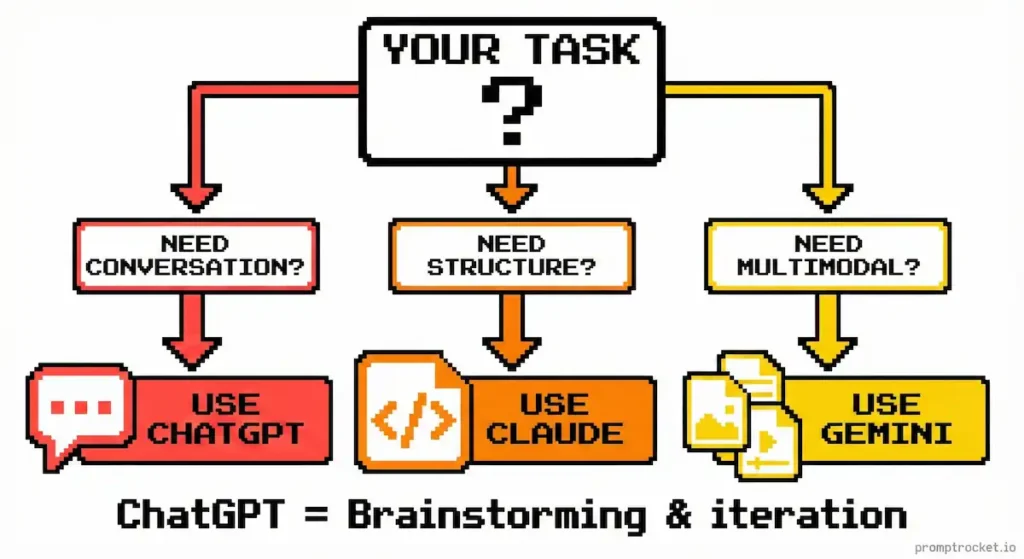
Tip 1: Use Custom Instructions to Set Your Default Persona
Go into ChatGPT settings and add custom instructions like: “You are writing for someone who hates corporate jargon. Use short sentences. Assume I’m busy and don’t have time for nonsense.”
Now every prompt inherits that tone. You stop repeating yourself constantly.
Tip 2: Start Simple, Then Iterate
Don’t try to write the perfect 500-word prompt on your first attempt. Start simple. Get output. Then say “Make it shorter” or “Make it more sarcastic” or “Remove the corporate speak.”
Iteration beats perfection.
Tip 3: If It’s Hallucinating, Add Constraints
ChatGPT making stuff up? Tell it: “Do not mention anything that’s not in the context I provided. If you don’t know something, say ‘I don’t know’ instead of guessing.”
Constraints are your friend.
Tip 4: Use Before-You-Answer Structures
Instead of “Write me an email,” say “Before you write this email, list the 3 main points I need to make. Then write the email.”
This forces ChatGPT to do the thinking work before the execution work. Output is always better.
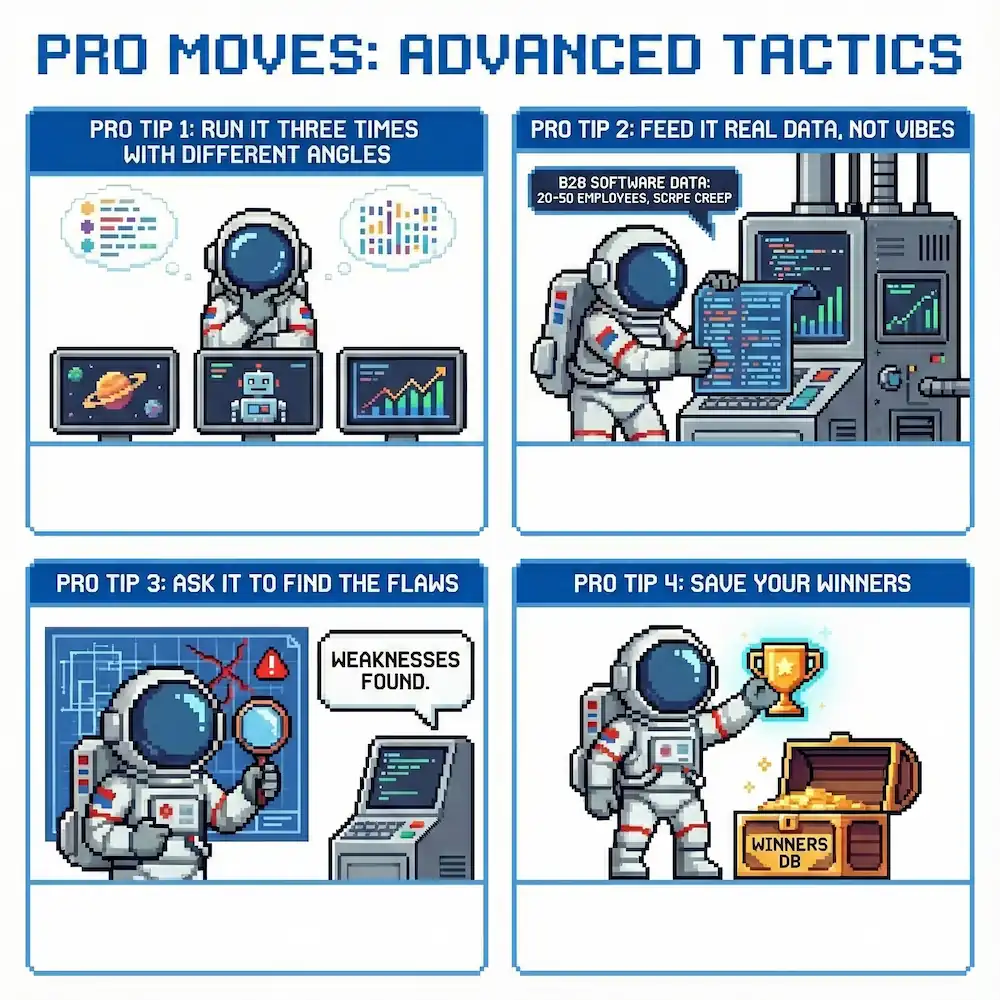
Pro Moves: Advanced Tactics
Pro Tip 1: Run It Three Times With Different Angles
Don’t settle for one output. Run your prompt three times, each time emphasizing a different angle. You get different approaches. Cherry-pick the best parts.
Pro Tip 2: Feed It Real Data, Not Vibes
Don’t say “I sell software.” Say “I sell B2B project management software to mid-market agencies with 20-50 employees. They use it to coordinate client work across teams and fight scope creep.”
Specificity beats generalization.
Pro Tip 3: Ask It to Find the Flaws
After you get an output, ask: “What are the weaknesses in this recommendation? Where would this approach fail?” ChatGPT will tell you. Now you know what to watch for.
Pro Tip 4: Save Your Winners
When ChatGPT nails something, save it. Look for patterns in what worked. Feed those patterns into future prompts. Over time you build a personal knowledge base of what works with ChatGPT specifically.
The Bottom Line
ChatGPT won’t replace your brain. It won’t replace your judgment. It won’t replace your experience. But if you know how to talk to it, if you give it clear instructions and specific context and permission to be useful, it will save you hours every week.
The difference between someone who gets incredible value and someone who wastes time is usually three tactics. The Flipped Interaction. The Persona Override. Chain of Thought.
Master those and you’re ahead of 99% of people using this tool.
Now go use it.
Related Prompt Guides
- Claude Prompt Guide: Stop treating Claude like ChatGPT. Master XML tagging, explicit scratchpads, and role anchoring. Unl…
- Gemini Prompt Guide: Stop wasting time typing prompts into Gemini. Master the Multimodal Bridge, upload files instead of …